A client who posts a job on Upwork can get dozens of proposals in a few hours, and most of them start the same way: “Hello, I am an experienced developer with 5+ years…” The client stops reading there. If you want replies, your first two lines have to be about their project, not about you.
This guide shows you how to write an Upwork proposal step by step: which jobs are worth your Connects, a six-part structure that works for web, CRM and automation jobs, a full sample you can adapt, and the habits that turn a few replies into steady contracts.
What a client is really doing when they read proposals
Put yourself on the other side. A business owner needs a booking page fixed or a GoHighLevel workflow built. They open their proposal list and scan. They are not grading your writing. They are sorting proposals into two piles: “this person understood my job” and “copy-paste.”
That gives you a simple test for every proposal you write. Could this exact text be sent to a different job? If yes, rewrite it. A proposal that only makes sense for this one client already beats most of the list.
Clients also judge risk. They are about to hand money and access to a stranger. Everything in your proposal should lower that risk: proof you’ve done something similar, a clear plan, and a question that shows you’ve thought about their situation.
Step 1: Choose jobs you can actually win
Good writing can’t save a proposal sent to the wrong job, and every application costs money. According to Upwork’s help center, Connects cost $0.15 each, the number needed for a proposal is shown on the job post and can change while the job is live, and every Connect expires one year after it was issued. Boosting a proposal costs extra and is optional.
So treat Connects like a budget. Before you apply, run through this quick filter:
- Skill match: could you start today without learning a new tool first?
- Clear brief: does the client explain the problem, or is it one vague line?
- Client signals: payment method verified, past hires, reasonable reviews of freelancers.
- Budget sense: is the budget realistic for the work described?
- Freshness: was it posted recently, and how many proposals already sit on it?
If a job fails two or more of these, skip it. Ten careful proposals to well-matched jobs will do more for you than forty rushed ones. And remember that responding to a client’s invitation to apply does not cost Connects, which is one more reason to keep your profile sharp so clients invite you.
Step 2: Read the job post like a brief
Spend three minutes on the post before you type anything. Copy it into a note and mark:
- The real goal: “Fix my Elementor header” often means “my site looks unprofessional and I’m losing enquiries.”
- Tools named: WordPress, Webflow, GoHighLevel, Zapier, n8n, HubSpot. Mirror them exactly.
- Constraints: deadline, budget, time zone, existing systems that must not break.
- Hidden instructions: some clients ask you to start with a word or answer a question to check you read the post. Miss it and you’re out.
- Gaps: what the client didn’t say but you need to know. These become your closing question.
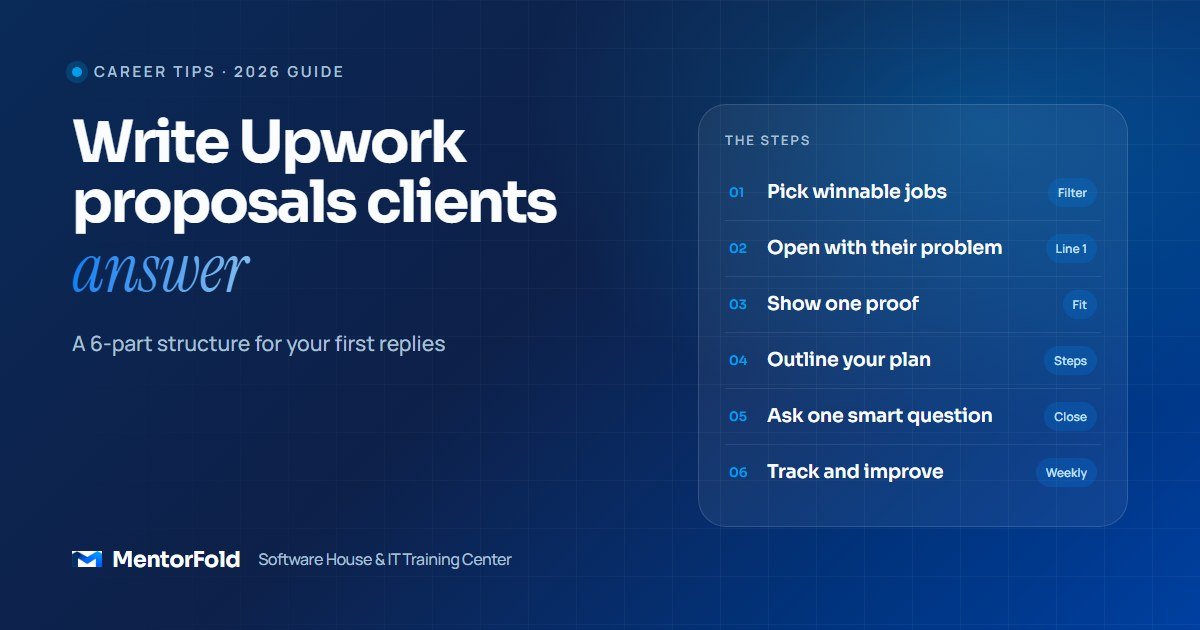
How to write an Upwork proposal: the 6-part structure
Keep the whole cover letter short enough to read on a phone in under a minute, usually around 120 to 220 words. Write in plain paragraphs, because a short, well-spaced message reads better than a wall of text.
1. Open with their problem, in their words
Your first sentence should show you read the post. Restate the goal and add one detail that proves understanding.
Weak: “Hi, I am a WordPress expert with many years of experience.”
Strong: “Your booking form is sending enquiries to an inbox nobody checks on weekends, so leads are going cold before Monday.”
2. Give one piece of proof that matches
Not your whole history. One project close to this job, with a link. A live site, a Loom walk-through of an automation, or a portfolio case study. If you’re new, a clearly labelled practice project is fine. Our guide on building a freelance portfolio with no experience shows how to create these.
3. Show a short plan
Two or three sentences on how you would approach the work. This is where you prove skill without claiming it. “First I’d check where the form submissions currently go, then route them into your CRM with an instant reply and a text alert to your phone.” A plan also makes the client picture you doing the job.
4. Handle the obvious risk
Answer the worry before they ask it. If the site is live, say you’ll work on a staging copy. If they’re in another time zone, state your overlap hours. If it’s a fixed price, mention you’ll split it into milestones.
5. Ask one useful question
One specific question invites a reply. “Are you using the free or paid version of WP Forms?” is better than “Let me know if you have any questions.” It starts a conversation, and conversations lead to interviews.
6. Close with a simple next step
Upwork’s own guidance on submitting a proposal suggests describing what you can do, asking questions and suggesting next steps such as a chat or video call in Upwork Messages. Keep it light: “Happy to do a 10-minute call to confirm the details.” Then sign off with your first name.
A sample Upwork proposal you can adapt
Here is an example for a fictional job: a dental clinic owner wants new website enquiries to land in GoHighLevel and get a fast reply. It is a teaching sample, not a real client message.
Right now your website form emails one inbox, so enquiries that come in after hours can wait a day for a reply. I’d connect that form to GoHighLevel so every new patient gets a text and email within a minute, and your front desk sees them in one pipeline.
I recently built a similar setup for a demo physiotherapy clinic: form to pipeline, instant SMS reply, and a reminder task for staff. Here’s a two-minute walk-through: [link]
My plan: map your current form fields, build the pipeline stages (New, Contacted, Booked), set up the reply workflow, then test it with you before it goes live. I’ll keep your existing form so nothing on the site breaks.
One question: do you want after-hours enquiries to get a booking link straight away, or a message saying the team will call next morning?
Happy to do a short call to confirm the details.
Sara
Notice what’s missing: no list of skills, no “I’m the perfect fit,” no paragraph about years of experience. Every sentence is about this client’s problem.
Screening questions, rate and attachments
Screening questions
Answer them directly in one to three sentences each. If the question is “Have you used n8n?”, say yes or no first, then one line of evidence. Don’t paste your cover letter into each answer.
Your rate or bid
Look at what freelancers with similar skills charge, then factor in the size of the job and your own costs. For fixed-price work, propose milestones so the client pays in stages and you’re protected too. Avoid racing to the lowest bid; clients who choose on price alone are often the hardest to work with.
Attachments and samples
Attach or link one or two samples that match this job. A short screen recording is often stronger than a PDF for automation and CRM work because the client sees it working.
A simple routine that improves your reply rate
Proposal writing gets better with feedback, so keep a basic tracking sheet in Google Sheets or Notion with these columns:
- Date, job title and link
- Connects spent and whether you boosted
- Opening line you used
- Sample you linked
- Outcome: viewed, replied, interviewed, hired
Review it every Friday. After 20 to 30 proposals you’ll see patterns: which job types reply, which samples get clicks, and which openings fall flat. Change one thing at a time so you know what made the difference.
Two more habits help. First, check new jobs at set times each day so you apply early on fresh posts. Second, re-read each proposal before sending. Upwork lets you edit most parts of a proposal for up to six hours after submitting, or until the client views it, but it’s better to get it right the first time.
Mistakes that get proposals ignored
- Starting with your name or your years of experience. The client wants to know you understood the job.
- One template for every job. A reusable structure is fine. Reusable sentences are not.
- Pasting AI output without editing. AI can help you draft, but generic phrasing is easy to spot. Rewrite it with details from the post and your own sample.
- Too many links. Ten links look like you didn’t choose. Send the one that fits.
- Promising what you haven’t done. If you’ve never built a Shopify app, don’t imply you have. Honest relevance beats a big claim.
- Chasing silent clients. One polite follow-up after a few days is fine. Repeated messages to a client who hasn’t replied break Upwork’s rules on spam.
- Applying to jobs outside your skill set. It wastes Connects and builds a profile with no clear focus.
Your proposal checklist
- Job passes the five-point filter
- Post read for goal, tools, constraints and hidden instructions
- First line is about the client’s problem
- One matching sample linked
- Two or three sentences of plan
- Main risk addressed
- One specific question and a light next step
- Screening questions answered directly
- Proposal logged in your tracking sheet
Frequently asked questions
How long should an Upwork proposal be?
Short enough to read on a phone in under a minute. For most web, CRM and automation jobs, 120 to 220 words is plenty. Complex projects may need a little more, but put the most important lines first.
Should I use a template for Upwork proposals?
Use a structure, not a script. The six parts above can stay the same every time, but the opening line, sample, plan and question should be written fresh for each job.
Is it worth boosting a proposal?
Boosting is optional and costs Connects on top of the base proposal cost. It can make sense on a well-matched job you’re confident about, but it won’t fix a weak proposal. Get your reply rate up with unboosted proposals first.
How do I get Upwork jobs with no reviews?
Apply to smaller, well-defined jobs that match your strongest skill, link a relevant practice project, and be specific about your plan. Clients hire new freelancers when the proposal makes the job feel low-risk.
Learn to win clients with guidance
MentorFold’s online Upwork Freelancing and Client Acquisition course walks you through profiles, proposals and client communication with real job posts and feedback on your drafts. If you still need a skill to sell, browse all MentorFold trainings or read our guide to in-demand IT skills you can learn online.
Have questions about which path fits you? Contact us and we’ll help you plan your first steps.