Every no-show is a slot you held open, prepared for and then lost, and you cannot sell that hour again. The good news is that most missed appointments are not people deciding to ghost you. They simply forgot, or something changed and cancelling felt like more effort than not turning up.
Both of those problems can be fixed with automation. This guide shows you how to reduce appointment no-shows with a short reminder sequence: which messages to send, when to send them, which channel to use, and the extra rules (confirm links, rebooking, deposits) that handle the people reminders alone will not catch. It is written for clinics, consultants, coaches, salons, agencies and any business that runs on booked calls or visits.
What the research says about reminders
Most of the hard evidence on reminders comes from healthcare, where missed appointments are measured carefully. The findings are useful for any appointment-based business:
- A Cochrane review of eight randomised trials found attendance of 78.6% with text reminders versus 67.8% with no reminder. Text reminders performed about as well as phone call reminders, and two of the studies found the cost per attendance of texts was 55% and 65% lower than calls.
- A systematic review of 29 studies (Hasvold and Wootton, 2011) found that reminders cut the rate of missed appointments by roughly a third on average. Automated reminders (texts or automated calls) reduced it by about 29%, and manual calls by about 39%.
Two lessons come out of this. First, reminders work, and cheap automated texts get most of the benefit of a staff member phoning everyone. Second, they are not magic. A human touch still adds something, which is why the system below uses automation for the routine messages and saves people for the cases that need them.
Why clients miss appointments
Before you write a single message, be clear about what you are fixing. Missed appointments usually fall into four groups:
- They forgot. The booking was made weeks ago and never made it into their calendar. Reminders fix this.
- Plans changed and cancelling was awkward. They would have rescheduled if it took one tap, but it meant phoning you. A reschedule link fixes this.
- They were never committed. A free consultation booked on impulse at midnight. Confirmation requests and, for some businesses, deposits fix this.
- Logistics went wrong. Wrong address, no parking information, a video link they could not find. Clear details in every message fix this.
A good reminder system handles all four, not just the first.
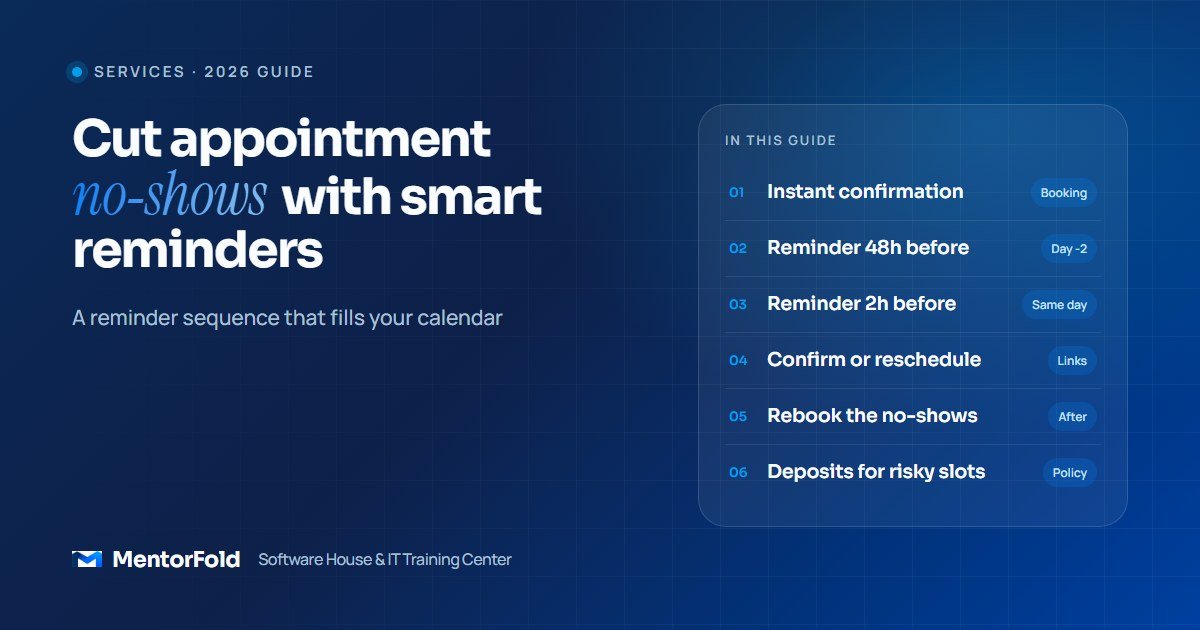
The reminder sequence, step by step
Here is a sequence that works for most service businesses. Adjust the timing to your booking window, but keep the structure.
Step 1: Confirm instantly at booking
The moment someone books, send a confirmation by email and, if they gave a mobile number, by text or WhatsApp. Include:
- The date and time in their time zone, not yours. This matters a lot if you serve clients in other countries.
- Where it happens: the full address with a map link, or the video call link.
- An “add to calendar” link (Google, Outlook and Apple). Getting the booking into their own calendar is the cheapest reminder you will ever send.
- A one-tap link to reschedule or cancel.
Step 2: Send a reminder one to two days before
This is the reminder that saves the slot, because it arrives early enough for you to refill the time if they cancel. Ask for a reply: “Reply YES to confirm or tap here to pick a new time.” A message that asks for an action gets more attention than one that just informs.
Example: “Hi Sara, a reminder of your strategy call with Ahmed on Thursday 20 Nov at 3:00 pm (London time). Reply YES to confirm, or reschedule here: [link]. Joining link: [link].”
Step 3: Send a short reminder on the day
One to three hours before, send a brief nudge with only what they need right now: the time, the link or address, and a contact number if they are running late. For video calls, 15 to 30 minutes before also works well.
Step 4: Handle the people who do not confirm
This is where most setups stop, and where the extra gains are. If someone has not confirmed by the evening before:
- Send one more message on a different channel (if the text got no reply, try email or WhatsApp).
- For high-value appointments, create a task for a team member to call. The research above shows manual calls still add value, so spend that effort only where it pays.
- If your business has a waiting list, flag the slot as at risk so you can offer it to someone else.
Step 5: Follow up straight after a no-show
Do not let a missed appointment disappear. Within an hour, send a friendly message: “We missed you today. No problem, here is a link to book a new time.” No guilt, just an easy way back. Many no-shows rebook when it costs them one tap, and those who do not are worth tagging in your CRM so you can apply your policy next time.
Step 6: Close the loop after the appointment
After a completed visit, send a thank-you with the next step: book the follow-up, leave a review, or pay the invoice. Clients who book their next appointment before they leave are far easier to keep on schedule than clients you have to chase later.
Choosing the channel: SMS, WhatsApp or email
Use more than one. A practical rule:
- Email for the confirmation, because it holds the full details, calendar files and policies.
- SMS for the reminders in markets where people read texts, such as the US, UK and Australia.
- WhatsApp for clients in regions where it is the main messaging app, including much of Europe, the Middle East, South Asia and Latin America.
Ask clients at booking which they prefer, store it in your CRM, and send reminders on that channel. One well-timed message on the right channel beats three on the wrong one.
Deposits and cancellation policies
Reminders solve forgetting. They do not solve low commitment. If you still have a stubborn no-show problem after a month of reminders, add one of these:
- A clear cancellation window, stated in every confirmation, such as “Please give us 24 hours’ notice to reschedule.”
- A card on file, charged only for late cancellations or no-shows. Most booking tools with Stripe support this.
- A small deposit for long or expensive appointments, credited against the final bill.
- Prepayment for clients who have missed before. Tag repeat no-shows in your CRM so the rule applies automatically.
Keep free discovery calls free if they are part of your sales process, but make the confirmation step mandatory for them. An unconfirmed free call is the slot most likely to go empty.
Which tools can run this?
You do not need custom software. Pick based on what you already use:
- Calendly or Cal.com: good for consultants and agencies who mainly run calls. Both have workflow features for automated emails and texts before and after meetings; check which channels your plan includes.
- Booking platforms for your industry (salon, clinic or fitness software): often include reminders and deposits out of the box. Turn them on and rewrite the default messages.
- GoHighLevel: useful when you want booking, SMS, email, WhatsApp, pipelines and payments in one place. Its calendar and workflow builder can run every step in this guide, including the “not confirmed” branch and the no-show rebooking message.
- n8n, Make or Zapier: glue for joining a booking tool to a CRM or messaging service that does not connect natively.
If you already capture leads automatically, this sequence sits right after the system described in our guide to automating lead follow-up: one gets people booked, the other gets them to turn up.
Stay on the right side of messaging rules
Appointment reminders are transactional messages, but the rules still apply. Get consent to text at booking, include your business name in every message, honour opt-outs (STOP) immediately, and keep promotional content out of reminders. If you send SMS to US numbers, register your sending number for A2P 10DLC through your provider. For WhatsApp, use approved message templates through the WhatsApp Business Platform. Rules vary by country, so check the ones that apply to your clients.
Mistakes to avoid
- Wrong time zones. A reminder that says 3 pm when it means 3 pm in another country causes the very no-show it was meant to prevent.
- Too many messages. Three or four touches per booking is plenty. More starts to feel like spam and gets muted.
- No way to reschedule. If the only option is “call us”, some people will choose silence instead.
- Reminders that do not stop. When someone cancels or reschedules, every pending reminder for the old slot must be cancelled. Test this.
- Not measuring. Track your no-show rate for a month before and a month after. Without a baseline you cannot tell what worked.
- Robotic copy. Use the client’s first name, the staff member’s name and a normal tone. It reads like a message from a person, not a system.
Your setup checklist
- Measure your current no-show rate for the last 30 days.
- Collect mobile number, preferred channel and time zone at booking.
- Send an instant confirmation with calendar links and a reschedule link.
- Add a reminder one to two days before that asks for a reply.
- Add a short same-day reminder with the link or address.
- Build a branch for unconfirmed bookings: second channel, then a staff task.
- Send a rebooking message within an hour of a no-show and tag the contact.
- Write your cancellation policy and add it to every confirmation.
- Test the whole flow with your own number, including a cancellation.
- Compare your no-show rate after 30 days and adjust timing.
Frequently asked questions
How far in advance should I send appointment reminders?
Send a confirmation at booking, a main reminder one to two days before, and a short reminder one to three hours before. The early reminder gives you time to refill a cancelled slot; the same-day one catches people who simply lost track of time.
Are text reminders better than phone calls?
For routine bookings, texts get similar results for far less effort. The Cochrane review found attendance was about the same with text and phone call reminders, and texts cost less per attendance. Save calls for high-value appointments that have not been confirmed.
Should I charge a fee for no-shows?
It depends on your business. Start with reminders and easy rescheduling, which fix most cases without friction. If repeat no-shows remain, a card on file or a small deposit for those clients is fair, as long as the policy is stated clearly at booking.
Can I automate appointment reminders without coding?
Yes. Calendly, Cal.com, most industry booking platforms and GoHighLevel all let you set up reminder workflows with a visual builder. Coding only becomes useful when you need to join tools that do not connect on their own.
Want this built for you, or want to build it yourself?
If you run a business and want a reminder and rebooking system set up properly, with the right channels, time zones and CRM tags, see our automation and CRM services or tell us about your booking process. We set these systems up for clients worldwide.
If you want to learn to build systems like this for clients, our online GoHighLevel Mastery course covers calendars, workflows and SMS automation step by step, and our AI Automation and AI Agents course shows you how to connect tools with n8n and Make.