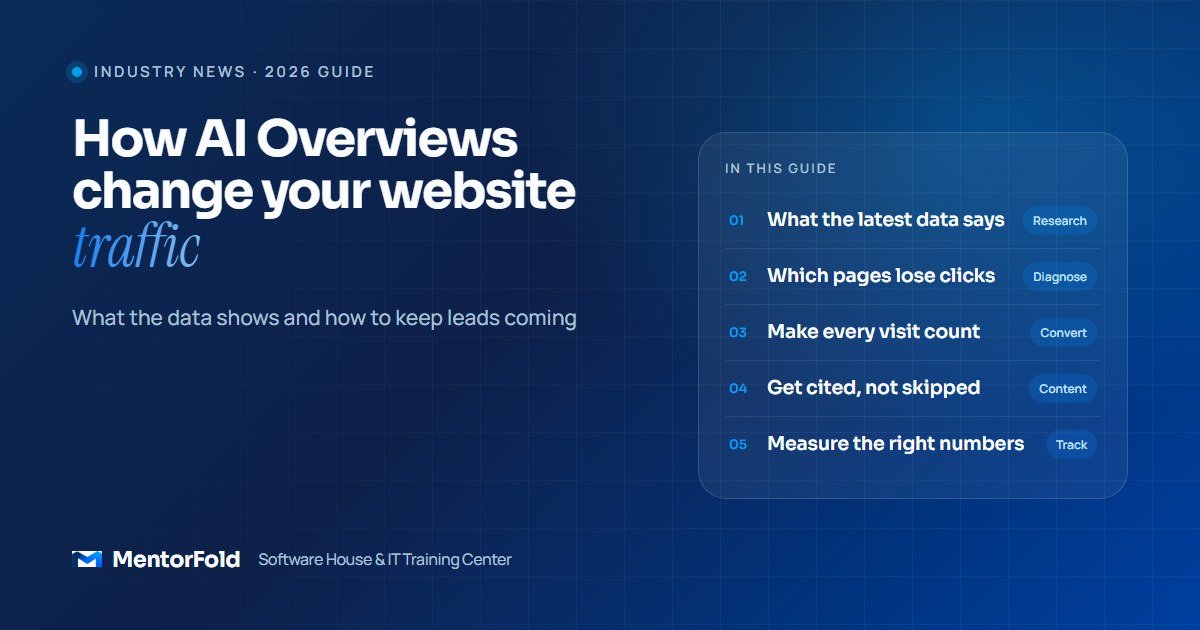
Your Google rankings can stay exactly where they were while your traffic quietly drops. That is what happens when Google answers the question at the top of the page and the searcher never needs to scroll down to your link.
AI Overviews, and the newer AI Mode, are now a normal part of Google Search in many countries. This post looks at what independent research says about AI Overviews and website traffic, which kinds of pages are hit hardest, and seven practical things a business owner can do this month so the website keeps producing enquiries.
What AI Overviews are, in one paragraph
An AI Overview is a generated summary that Google shows above the normal results for some searches. It pulls information from several web pages and shows a few of them as source links. AI Mode goes further: it is a chat-style search experience where the whole answer is generated, with links placed inside or beside it. In both cases the searcher can get a usable answer without visiting any website.
What the data says about AI Overviews and website traffic
Several studies have now measured the effect. They use different methods, so the numbers are not directly comparable, but they point in the same direction.
- People click less when a summary appears. Pew Research Center tracked the real browsing of 900 US adults in March 2025. When an AI summary appeared, users clicked a traditional search result in 8% of visits, compared with 15% when there was no summary. Only 1% of visits included a click on a link inside the summary itself.
- More searches simply end. In the same Pew data, users ended their browsing session on 26% of pages with an AI summary, against 16% of pages without one.
- Top positions lose the most. Ahrefs analysed 300,000 keywords and found that, in December 2025 data, the presence of an AI Overview was linked to a 58% lower click-through rate for the page ranked first. Position two showed a drop of about 51%, and even position ten was down around 19%. Ahrefs’ earlier version of the same study, using March 2025 data, had found a 34.5% drop for position one, so the gap has grown.
Two honest caveats. First, the Ahrefs figures are a correlation, not proof that AI Overviews are the only cause. Second, Google disputes the framing and says that clicks from results pages with AI Overviews are higher quality, meaning visitors are more likely to spend time on the site. Both things can be true: fewer visits, but the ones that arrive may be better informed.
Which pages lose the most clicks (and which don’t)
AI Overviews do not hit every page equally. Pew found that longer, question-style searches were more likely to trigger a summary. That gives you a useful way to sort your own pages.
Most exposed: simple informational content
- “What is” and definition posts (“what is a CRM”, “what is SEO”)
- Short how-to answers that fit in a paragraph
- Generic lists that repeat what ten other sites say
- Basic price questions where the answer is a range
Less exposed: content that needs you
- Service and location pages for searches with buying intent (“WordPress developer for dental clinic”, “GoHighLevel setup agency”)
- Brand searches, where people already know your name
- Original material: your own case studies, templates, calculators, tools and real project walk-throughs
- Booking and quote pages, because an AI summary cannot book a call for the customer
For most service businesses this is good news. The pages that bring paying clients are usually the ones AI Overviews can’t replace. The traffic you are losing is often top-of-funnel reading traffic that rarely turned into enquiries anyway. The job is to find out whether that’s true for your site.
7 steps to protect your leads from falling search clicks
1. Check your own numbers before you panic
Open Google Search Console and go to the Performance report. Google states in its AI features documentation that traffic from AI Overviews and AI Mode is included in the normal “Web” search type, so you won’t find a separate filter. Instead:
- Compare the last three months with the same three months a year earlier.
- Sort pages by the biggest drop in clicks.
- For each, check whether impressions held steady while clicks fell. Stable impressions with falling clicks is the typical pattern when a summary answers the query.
- Mark each page as “informational” or “commercial”. If your losses are mostly informational, your lead flow may be fine.
Then check the number that actually matters: enquiries, bookings or sales from organic search in Google Analytics or your CRM.
2. Make your service pages the strongest pages on the site
If commercial searches are where the clicks still happen, those pages deserve the most work. A strong service page answers the questions a buyer has before they contact you:
- Who the service is for, in plain words, in the first two lines
- What is included and what isn’t
- How the process works, step by step
- A starting price or a clear explanation of how pricing works
- Real examples of past work, with permission
- One obvious next step: book a call, request a quote or send a message
3. Get more from every visit you still receive
When visits drop, conversion rate matters more. A site that turned 1 in 100 visitors into a lead can protect its lead count by converting better, even with less traffic. Quick wins:
- Put a call-to-action on every blog post, not just the contact page.
- Shorten forms to the fields you really need.
- Add a booking calendar so people can choose a time without back-and-forth emails.
- Make the site load fast on mobile and check that every form actually delivers.
And don’t let new enquiries wait. A lead who came from a shrinking channel is too valuable to answer the next day. Our guide to automating lead follow-up shows how to reply within minutes.
4. Write content an AI summary can’t replace
If your blog post says the same thing as every other result, Google can summarise it without sending anyone to you. Give readers a reason to click through:
- Share what you’ve seen on real projects: mistakes, timings, tools that failed and what you did instead.
- Include things a summary can’t hold: checklists, templates, screenshots, short videos and worked examples.
- Answer the follow-up questions too. The first answer may appear in the overview; the detailed “how” is what people click for.
5. Make your pages easy to cite
Being one of the source links in an AI Overview still brings visibility, even if clicks are lower. Google’s guidance is straightforward: a page needs to be indexed and eligible to show a snippet, and there are no extra technical requirements or special AI files. Its recommended practices include:
- Don’t block Googlebot in robots.txt, your CDN or your hosting firewall.
- Link important pages from your menu and from related posts.
- Put key information in text, not only inside images or PDFs.
- Keep any structured data consistent with what is visible on the page.
- Keep your Google Business Profile and Merchant Center details current.
A practical writing tip: answer the main question clearly in the first lines under each heading, then go deeper. That structure helps both human readers and systems that pull short answers.
6. Strengthen the channels Google doesn’t control
Relying on one source of traffic was always risky. Use this moment to build others:
- Google Business Profile: if you serve a local area, keep photos, services, hours and reviews up to date.
- Email list: offer a useful checklist or template in exchange for an email address, then send something helpful every few weeks.
- LinkedIn and direct outreach: for B2B services, a steady outreach routine often brings better leads than blog traffic.
- Referrals and partners: ask happy clients for introductions and make it easy for them.
7. Track leads, not just sessions
Traffic is a means, not the goal. Set up tracking so you can see where each enquiry came from: a hidden “source” field on forms, UTM tags on links you share, and a simple “How did you hear about us?” question. Review it monthly. If organic sessions are down 20% but organic leads are steady, you don’t have a traffic problem.
Mistakes to avoid
- Blocking Google to “protect” content. Using noindex or nosnippet removes you from normal results too. Use these controls only for pages you really want hidden.
- Buying “AI SEO” hacks. Google says you don’t need special AI text files or extra markup to appear in its AI features. Be careful with anyone selling a shortcut.
- Publishing more thin posts. Ten short generic articles are exactly what AI summaries replace. Fewer, deeper pages work better.
- Judging success by sessions alone. A smaller number of better-informed visitors can produce the same number of leads.
- Ignoring the website basics. Slow pages, broken forms and unclear calls-to-action cost more now that each visit is worth more.
Quick checklist
- Search Console compared year on year, pages sorted by lost clicks
- Lost pages labelled as informational or commercial
- Organic leads checked, not just traffic
- Top three service pages improved with process, pricing and proof
- CTA and short form on every blog post
- Instant lead follow-up in place
- Google Business Profile updated
- One non-Google channel started this month
Frequently asked questions
Do AI Overviews reduce website traffic?
Research suggests they do for many searches. Pew Research found users clicked a traditional result in 8% of visits with an AI summary versus 15% without one, and Ahrefs found a 58% lower click-through rate for top-ranked pages when an AI Overview appeared. The effect is strongest on informational queries.
How do I get my website shown in Google AI Overviews?
According to Google, the page must be indexed and eligible to show a snippet in Search. Beyond that, the usual SEO basics apply: crawlable pages, good internal links, clear text content and helpful, original information. There is no special markup or AI file to add.
Can I see AI Overview traffic in Google Search Console?
Not separately. Google includes clicks and impressions from AI Overviews and AI Mode in the standard Performance report under the “Web” search type, so you have to judge the effect by comparing periods and pages.
Should small businesses still invest in SEO?
Yes, but with a different focus. Commercial and local searches still drive clicks, and being cited in AI answers builds visibility. Put more effort into service pages, conversion and original content, and less into short generic posts.
Need help adapting your website?
If your search traffic has dropped and you want your site to turn more of its remaining visitors into enquiries, MentorFold can help with conversion-focused websites, CRM setups and lead follow-up automation. See our services or contact us for a quick review of your site.
Want to build these skills yourself? Our online WordPress Development course covers building fast, well-structured websites, and AI Automation and AI Agents teaches you to automate the follow-up that turns visitors into clients.