A potential client fills in your contact form at 9:40 at night. Nobody sees it until the next afternoon, and by then they have already booked a call with the company that replied in two minutes. That lead was not lost to price or quality. It was lost to a slow, manual follow-up process.
This guide shows you how to automate lead follow-up step by step: what to send, when to send it, which tools to use, and the stop rules that keep automation from annoying people. It works for agencies, consultants, clinics, trades and online service businesses, wherever your clients are.
Why response time decides more deals than you think
In a study published in Harvard Business Review, researchers sent test enquiries to 2,241 US companies. Among those that replied within 30 days, the average response time was 42 hours, and 23% never replied at all. A separate analysis of more than a million leads in the same study found that firms that tried to contact a prospect within an hour were nearly seven times as likely to qualify the lead as firms that waited even one hour longer.
The study is from 2011, but the point has only become sharper. Buyers now send the same enquiry to three or four providers at once. The first useful reply sets the frame for everything that follows.
No team can answer every enquiry within minutes, all day and all night, across time zones. A well-built automation can. Its job is not to replace your sales conversation. Its job is to make sure every lead hears from you right away and keeps hearing from you until they either book, say no, or ask you to stop.
What an automated follow-up system actually does
Strip away the jargon and every good lead follow-up automation has four parts:
- Capture: every enquiry, from every source, lands in one place.
- Instant reply: the lead gets a personal-sounding email and, where allowed, a text message within a minute.
- Follow-up sequence: if they do not respond, a short series of helpful messages goes out over the next two weeks.
- Hand-off and stop: the moment a lead replies or books, a human takes over and the automated messages stop.
Most businesses that say “automation didn’t work for us” built only part two, or built part three without part four.
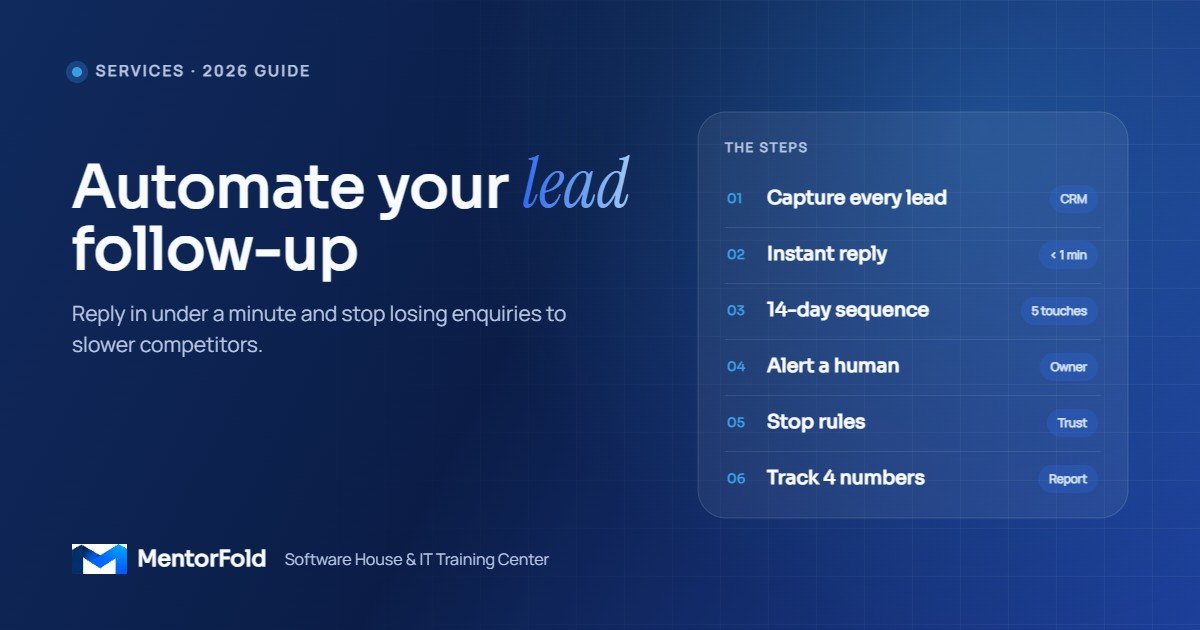
How to automate lead follow-up in 7 steps
Step 1: List every place leads come from
Open a blank document and write down every channel that brings you enquiries. A typical list looks like this:
- Website contact form or quote form
- Booking page or calendar link
- Facebook and Instagram lead ads
- Google Business Profile messages and calls
- Missed phone calls
- Marketplace or directory enquiries
- Direct emails to your inbox
Next to each one, note roughly how many leads it sends per month. Automate the busiest source first. Trying to connect everything on day one is the fastest way to never finish.
Step 2: Send every lead into one CRM
Follow-up cannot be automated if leads live in five inboxes and a spreadsheet. Pick one CRM and route everything into it. Common choices:
- GoHighLevel: forms, calendars, pipelines, SMS, email and workflows in one platform. Popular with marketing agencies and local service businesses.
- HubSpot: strong for B2B teams that want sales and marketing in one system.
- Pipedrive: simple, pipeline-focused, good for small sales teams.
If a lead source has no direct integration with your CRM, connect it with Zapier, Make.com or n8n. The pattern is always the same: new lead in source → create or update contact in CRM → add a tag that says where it came from. That source tag matters later, because it tells you which channels actually produce customers.
Step 3: Write the instant reply
The first message should go out within a minute. It has three jobs: confirm you received the enquiry, show a real person is behind it, and give one clear next step. Keep it short. Here is an example for a web design agency:
Hi Sarah, thanks for asking about a new website for Bright Dental. I’ve got your details and I’ll look at your current site before we talk. If you’d like to skip the back-and-forth, you can pick a 20-minute slot here: [booking link]. Speak soon, Ali at [Company]
Use the lead’s first name and any detail they gave you (business name, service, city). Send it from a real person’s name, not “noreply”. If you text as well as email, keep the text to two or three lines with the same booking link.
Step 4: Build a short follow-up sequence
Many leads will not reply to the first message. They are busy, not uninterested. A simple sequence brings a large share of them back. A cadence that works for most service businesses:
- Minute 0: instant email and text (Step 3).
- Day 1: a short check-in: “Did you get a chance to look at times?” plus the booking link.
- Day 3: something useful: a relevant example of your work, a short case summary you are allowed to share, or an answer to a common question.
- Day 7: a direct question: “Is this still something you’re planning for this month, or should I check back later?”
- Day 14: a polite close: “I’ll stop following up for now. If anything changes, just reply to this email.”
That is five touches in two weeks, each one giving the lead something or asking a simple question. Leads who never reply can then move into a low-frequency newsletter, if they agreed to receive one.
Step 5: Alert a human and assign an owner
Automation buys you time; it does not close deals. Set up an instant notification to the person responsible for new leads: a mobile app push, a text, a Slack message or an email. In GoHighLevel and most CRMs you can also create a task like “Call within 15 minutes during working hours” and assign it automatically.
If you have more than one salesperson, use round-robin assignment so leads are shared fairly and nobody assumes someone else is handling it.
Step 6: Set the stop rules (the step most people skip)
Nothing damages trust faster than a “just checking in!” message arriving an hour after someone booked a call. Before you switch anything on, define exactly what removes a lead from the sequence:
- They reply by email or text
- They book an appointment
- They are moved to a later pipeline stage, such as “Proposal sent”
- They unsubscribe or reply STOP
- Someone on your team marks them as “Not a fit”
In GoHighLevel these are goal events and “remove from workflow” actions; in Zapier, Make.com or n8n they are filters and conditions checked before each message. Test every stop rule with a dummy contact before you go live.
Step 7: Track four numbers
You only need four metrics to know whether your follow-up automation is working:
- First response time: should be under a minute for the automated reply, and under an hour for the human call during working hours.
- Reply rate: what share of leads respond at any point in the sequence.
- Booked-call rate: what share of leads book a meeting.
- Leads with no owner: this should be zero.
Check them monthly, by lead source. If one channel has a low reply rate, rewrite the instant reply for that source before you touch anything else.
A quick win: missed-call text-back
If phone calls are a big source of business for you, this is the single fastest automation to set up. When a call to your business number goes unanswered, the system automatically sends a text such as:
Sorry we missed your call! This is [Name] from [Company]. How can we help? You can reply here or book a time: [link]
Many callers would rather text than leave a voicemail, so this turns missed calls into conversations. GoHighLevel has this feature built in, and phone systems such as Twilio can do the same with a simple workflow. Add a short delay and a rule so repeat calls from the same number within a few minutes do not trigger repeat texts.
Which tool should you use?
- You run an agency or a local service business and want one system: GoHighLevel covers forms, calendars, pipelines, text, email and workflows together, and agencies can set it up for their own clients.
- You already have a CRM you like: keep it, and use its built-in sequences or workflows. Add Zapier or Make.com only to connect sources it cannot reach.
- You want full control or have high volume: n8n lets you build custom flows, including AI steps that read an enquiry, classify it and draft a tailored first reply for a human to approve.
The tool matters less than the design. A clean five-message sequence with proper stop rules in a basic CRM beats a complex AI setup with none.
Stay compliant wherever your leads are
Automated messages are still marketing messages, and the rules depend on where your recipients live. Two examples for leads in the United States:
- The FTC’s CAN-SPAM compliance guide requires commercial emails, including business-to-business emails, to carry a valid postal address and a working opt-out, and opt-outs must be honoured within 10 business days.
- Businesses sending texts from standard 10-digit US numbers through software must register for A2P 10DLC, as Twilio’s documentation explains.
The UK, EU, Canada, Australia and other regions have their own consent rules. As a baseline everywhere: only message people who contacted you or agreed to hear from you, identify yourself clearly, and make stopping easy.
Mistakes to avoid
- Sounding like a robot. “Your request has been received. Ticket #48213” does not start a relationship. Write like a person.
- Too many messages. Daily texts for two weeks will get you blocked. Five well-spaced touches are enough.
- No stop rules. Covered above, and still the most common failure.
- Automating a broken offer. If people who do talk to you rarely buy, faster follow-up will only get you more “no” answers faster. Fix the offer or the call first.
- Never reviewing it. Read through your sequence every quarter. Links break, prices change and team members leave.
Your setup checklist
- All lead sources listed, busiest one automated first
- Every lead lands in one CRM with a source tag
- Instant email (and text, where permitted) goes out within a minute
- Five-touch sequence over 14 days, each message useful
- Owner assigned and notified instantly
- Stop rules tested with a dummy contact
- Opt-out and sender details in every message
- Four metrics reviewed monthly by source
Frequently asked questions
How fast should I follow up with a new lead?
The automated reply should go out within a minute. A human should follow up within an hour during working hours. The Harvard Business Review research above found that contacting a lead within the first hour made firms far more likely to qualify it.
How many follow-up messages should I send?
For most service businesses, four to six messages over about two weeks is enough. Each one should give the lead something useful or ask a simple question, and the sequence should stop as soon as they reply or book.
Can I automate lead follow-up without coding?
Yes. GoHighLevel, HubSpot, Pipedrive, Zapier and Make.com all use visual builders. n8n is also visual, though it rewards some technical comfort when you build more advanced flows.
Will automated follow-up feel impersonal to clients?
Only if it is written badly. Use the lead’s name and details, send from a real person, keep messages short, and hand off to a human the moment they reply. Done well, most leads simply experience it as a quick, organised business.
Want this built for you, or want to learn to build it?
If you run a business or agency and want a lead follow-up system set up properly, with CRM, forms, sequences, missed-call text-back and reporting, MentorFold builds these for clients around the world. See our services or tell us how your leads come in and we’ll suggest a setup.
If you want to learn the skill yourself and offer it to clients, our GoHighLevel Mastery and AI Automation and AI Agents courses cover these workflows hands-on. New to the field? Start with our guide to in-demand IT skills you can learn online.