Ask two reliable surveys how many small businesses use AI and you get two very different answers: about three in four, or about one in five. Both are real numbers. The gap between them tells you exactly where the opportunity is, and it is a useful guide if you are wondering how to start using AI in a small business without wasting a quarter on tools nobody opens.
This post explains why the numbers disagree, what they mean for owners, and gives you a five-step plan to get one useful AI workflow running within a couple of weeks. It also has a section for learners, because the same gap is creating paid work.
Why the AI adoption numbers disagree
A Goldman Sachs 10,000 Small Businesses Voices survey of 1,256 owners, run from late January to February 2026, found that 76% say they currently use AI. But only 14% said AI is fully embedded in their core operations, and 73% said they would benefit from more training and implementation help.
The U.S. Census Bureau measures something different. Its Business Trends and Outlook Survey found overall AI use between 17% and 20% from December 2025 to May 2026. Among firms with four or fewer employees, less than 20% reported using AI, and in retail about 14% did.
Why the difference? The Goldman survey asked owners who took part in its programme, and “using AI” can mean one person occasionally asking a chatbot to tidy an email. The Census asks about the business using AI in its functions. Neither is wrong. Together they say this: most owners have tried AI, but very few have built it into how the business actually runs.
What the gap means for a small business
If you have only experimented, you are in the majority, and you are not behind. But it also means the advantage goes to the owner who moves from “I use a chatbot sometimes” to “this task now happens automatically, every time.” Among Goldman’s respondents who use AI, 93% reported a positive impact, and 84% named efficiency and productivity as the main benefit. The barriers owners named were lack of technical expertise, difficulty choosing tools and data privacy concerns.
Notice what is missing from that list: money. The blocker is knowing where to start and how to set it up safely. That is a process problem, and it has a process solution.
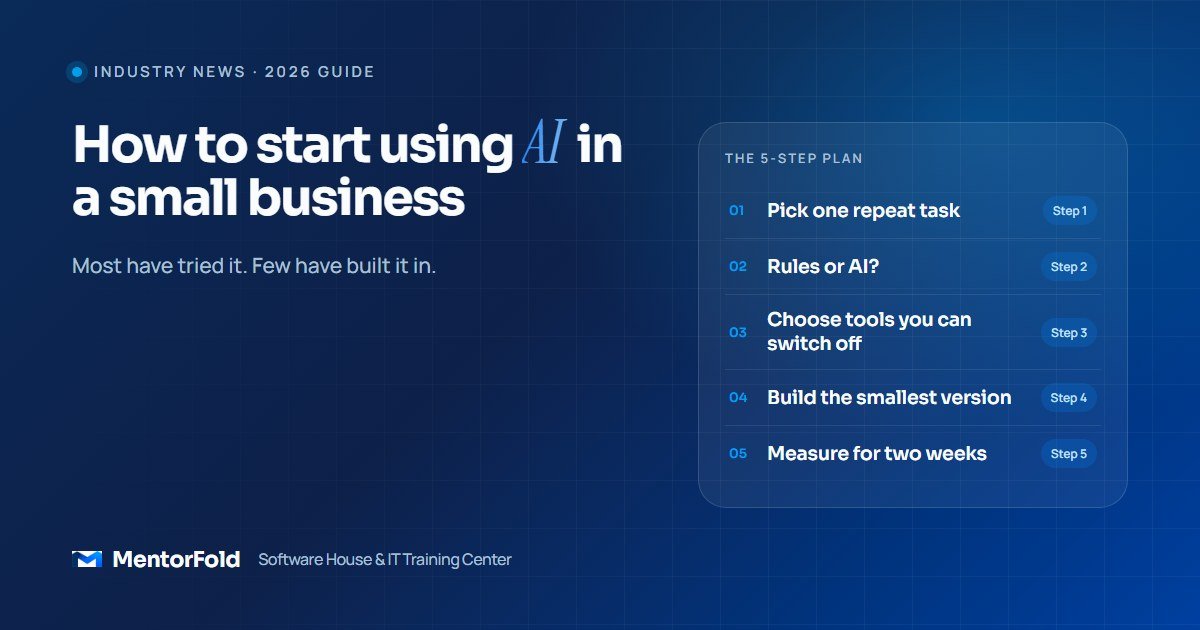
A five-step plan to start using AI in a small business
Step 1: List your repeat tasks and pick one
Write down everything your team does more than five times a week. Typical items: answering the same enquiry questions, sending quotes, chasing unpaid invoices, writing appointment reminders, copying leads from a form into a spreadsheet, drafting social posts.
Score each task on three things: how many hours it takes per week, how rule-based it is, and how bad a mistake would be. Start with something high-hours, rule-based and low-risk. Do not start with anything that sends money, legal advice or medical information without a person checking it.
Step 2: Decide where AI helps and where plain automation is enough
Many “AI projects” are really simple automations. If the task is “when a form is submitted, add the contact to the CRM and send a confirmation,” you do not need AI at all, only a workflow. AI earns its place when the input is messy language: reading an enquiry and working out what it is about, summarising a call, drafting a first reply, or sorting incoming email.
- Rules, no AI: routing leads, sending reminders, updating records, creating tasks.
- AI inside a workflow: classify an enquiry, extract details from an email, draft a reply for a person to approve, summarise a meeting.
- Keep a human: pricing decisions, complaints, refunds, anything legal or sensitive.
Step 3: Choose tools you can switch off
Pick tools by how easily you can leave them. For automation, Zapier, Make and n8n are common options; a CRM such as GoHighLevel already includes workflows, pipelines and messaging in one place, which suits agencies and local-service businesses. For the AI step, you connect a model through the tool’s built-in AI action or its API.
Check three things before you commit: where your customer data is stored, whether the vendor uses your data to train models (read the data-use settings, and turn off sharing if you can), and whether you can export everything. Data privacy was one of the top worries in the Goldman results, and it is the easiest one to handle early.
Step 4: Build the smallest working version
Take a worked example: enquiry triage. Someone fills in your contact form. A workflow does this:
- Saves the contact to your CRM and tags the source.
- Sends the text of the message to an AI step with a clear instruction: “Classify this as sales, support or spam, and list any dates or budgets mentioned.”
- Creates a task for the right person with the summary attached.
- Sends the customer a plain confirmation that says when to expect a reply.
- Drafts a suggested reply and leaves it for a person to edit and send.
Notice that a human still sends the reply. That is deliberate. Build trust first, then widen what runs unattended.
Step 5: Measure for two weeks, then decide
Before you start, record the baseline: how long a reply takes now and how many hours the task costs per week. After two weeks, compare. Also review ten real examples by hand and note how many the AI got wrong. If the result is clearly better, keep it and move to the next task on your list. If not, change the instruction or drop it. Either way you have spent days, not months.
Mistakes that stall small-business AI projects
- Buying five tools before solving one problem. Pick one task and finish it.
- Pasting customer data into free tools without checking the terms. Use business plans with clear data controls.
- No owner. Someone must be responsible for checking the workflow weekly.
- Vague instructions. “Reply to customers” fails; “Draft a reply under 120 words that confirms the booking and asks for a phone number” works.
- Skipping the human check. Review drafts until you trust the output, then relax review gradually.
For learners: the gap is a job market
If 73% of owners say they need training and implementation support, someone has to provide it. People who can map a business process, connect a CRM to an automation tool and add an AI step safely are doing paid work now, as freelancers and in agencies. The skills are practical: workflow logic, APIs and webhooks, prompt writing, and testing. You can build a portfolio piece such as the enquiry triage workflow above, record a short walkthrough, and use it in your proposals. Our guide to writing an Upwork proposal clients answer shows how to present that kind of project.
Frequently asked questions
How do I start using AI in my small business?
Pick one repetitive, low-risk task, such as sorting enquiries or drafting replies. Build the smallest workflow that handles it, keep a person approving the output, and measure the time saved over two weeks before adding anything else.
What percentage of small businesses use AI?
It depends on the definition. A Goldman Sachs survey of its small-business programme participants reported 76% use AI, while the U.S. Census Bureau’s survey found overall business AI use of 17% to 20% between December 2025 and May 2026.
Do I need a developer to use AI in my business?
Not for a first workflow. No-code tools such as Zapier, Make and GoHighLevel can connect forms, a CRM and an AI step. A developer or agency helps when you need custom integrations, several systems connected, or tighter data controls.
Is it safe to put customer data into AI tools?
It can be, if you use a business plan with clear data-use terms, turn off training on your data where the option exists, and share only what the task needs. Check the vendor’s privacy documentation before connecting real customer records.
Next steps
If you want to build these workflows yourself, MentorFold’s online AI Automation and AI Agents course teaches them step by step, and GoHighLevel Mastery covers CRM pipelines and automations for agencies and local businesses.
If you would rather have it done for you, MentorFold sets up AI automation and CRM workflows for businesses worldwide. See our services or tell us which task is eating your week, and we will suggest the first workflow to build. You may also like our guide on how to automate lead follow-up.